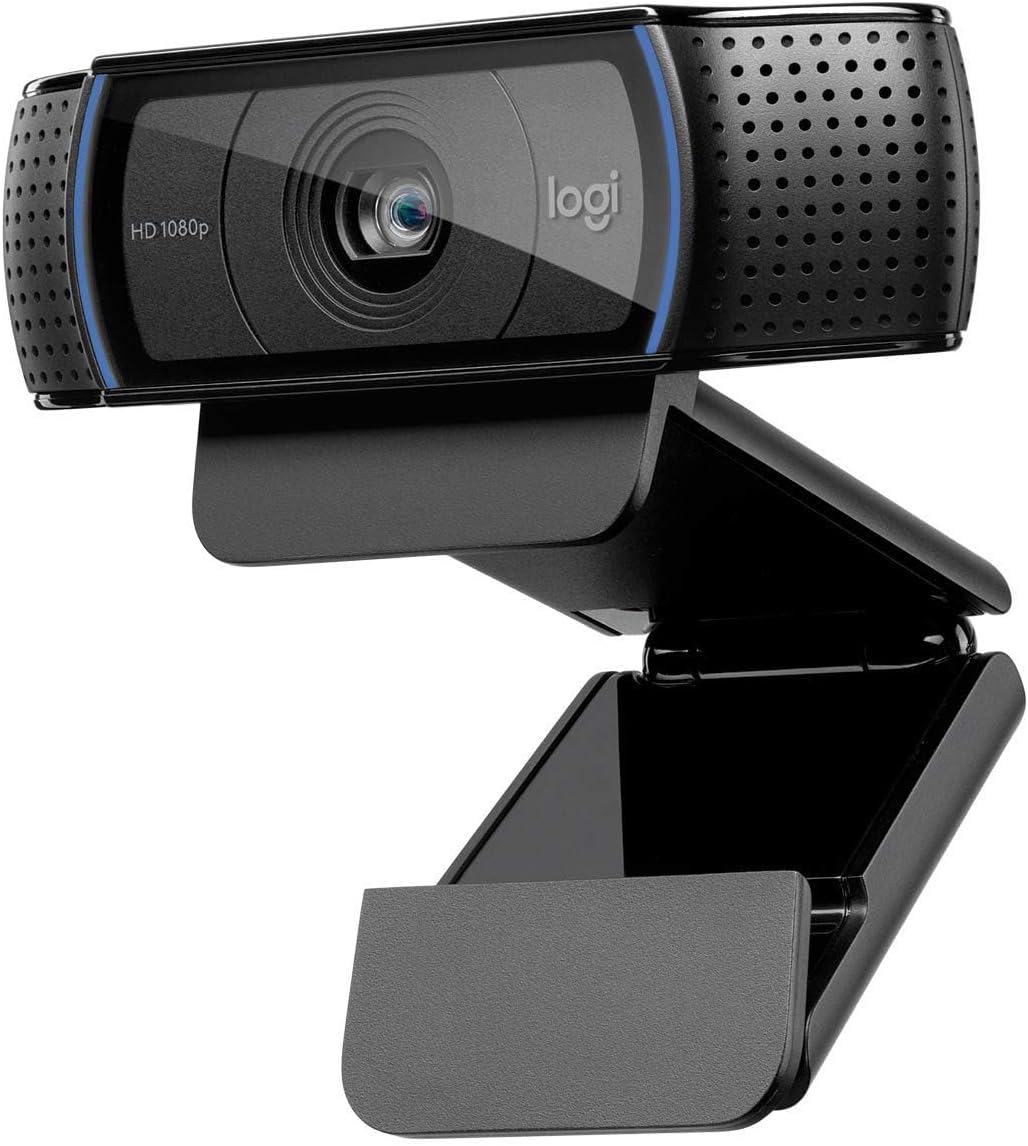
Logitech C920 HD Pro Webcam
The 1080p webcam most freelancers end up with: a glass autofocus lens, stereo mics and a wide 78° view. No privacy shutter and USB-A only. £49.99, rated 4.6/5 from 10,700+ Amazon UK reviews.
Features
Who the C920 is for
The Logitech C920 has been the default "proper" webcam for over a decade, and for a freelancer who spends part of the week on Zoom, Teams or Google Meet with clients it is still the safe choice. It is not the newest or the sharpest camera you can buy. What it does is fix the two problems that make most people look worse on calls than they do in person: a soft, low-angle laptop camera and a picture that hunts for focus every time you move.
If you take a handful of client calls a week, record the odd walkthrough video, or interview for contracts over video, this is the camera to compare everything else against.
What it does well
- A glass lens with autofocus. The five-element glass lens and autofocus keep you sharp when you lean in, hold a document up to the camera or sit back from the desk. Cheaper webcams, including Logitech's own Brio 100, use fixed focus, which is fine until you move.
- A wide 78° field of view (Logitech's figure). Enough to fit you and a whiteboard or a second person in shot. If you work in a spare room you would rather clients did not see, that width works against you, so frame it carefully.
- Stereo microphones. Two mics either side of the lens pick up your voice clearly in a quiet room. They are good enough to skip a headset for a quick catch-up, not a replacement for one in a noisy house.
- Automatic light correction. It brightens a dim room without you touching a setting. It cannot fix a window behind you, though: sit facing the light, not with it at your back.
- A clip that fits almost anything, plus a standard tripod thread underneath if you want it off the monitor.
- Plug and play over USB on Windows and macOS. No driver to install for calls.
What it does not do
No privacy shutter. The C920 has no built-in cover, so the lens is always open. If you want a physical shutter, buy a stick-on cover for a pound or two, or choose the Brio 100, which has one built in.
USB-A only. The cable ends in a full-size USB-A plug. On a MacBook or a USB-C-only laptop you need an adapter or a hub. Budget for one if you do not already own one.
1080p at 30 frames per second, no more. That is all a video call uses anyway: Zoom and Teams rarely send more than 1080p, and often less. You only miss 4K or 60fps if you record content where every detail counts.
It is an older design. Logitech sells newer models with better low-light performance and HDR. You pay noticeably more for them, and on a client call the difference is far smaller than the jump from a built-in laptop camera to any of them.
C920 or Brio 100?
The Logitech Brio 100 is the cheaper option, and for some freelancers it is the better buy.
| Logitech C920 | Logitech Brio 100 | |
|---|---|---|
| Resolution | 1080p at 30fps | 1080p at 30fps |
| Focus | Autofocus, glass lens | Fixed focus |
| Field of view | 78° | 58° |
| Microphones | Two (stereo) | One |
| Privacy shutter | No | Yes, built in |
| Connection | USB-A | USB-A |
| Amazon UK rating | 4.6 from 10,700+ | 4.4 from 1,700+ |
| Price (October 2026) | £49.99 | £25.99 |
Choose the C920 if you move around on calls, present documents to the camera, or want usable microphones without a headset.
Choose the Brio 100 if you always sit in the same spot and use a headset anyway. It saves you about £24, and the narrower view shows less of the room behind you.
Getting the most out of it
- Put it at eye level. On a laptop that means raising the screen; a laptop stand does this and helps your neck too. Looking up into a camera from below is the most common reason people look bad on calls.
- Face the light. A window or lamp in front of you does more than any camera setting.
- Choose it in your call app. Zoom, Teams and Meet all have a camera and microphone setting; pick the C920 for both if you are not using a headset.
- Check your frame before the first client call. Make sure the background is what you want a client to see.
Questions freelancers ask
Is the C920 still worth buying in 2026? Yes, if you want a reliable 1080p camera with autofocus and decent microphones at around £50. Newer cameras are sharper in low light, but on a video call most of that detail is compressed away.
Does it work with a MacBook? Yes, but it plugs in over USB-A, so a USB-C MacBook needs an adapter or hub.
Does the C920 have a privacy cover? No. Use a stick-on cover, or choose the Brio 100, which has a built-in shutter.
Can I use its microphones instead of a headset? In a quiet room, for short calls, yes. In a shared or noisy space a headset will sound noticeably better to the client.
Is it a business expense? If you buy it mainly for client work, a webcam is normally an allowable expense for a sole trader. Keep the receipt, and apportion it if you also use it personally.
Price and ratings checked on Amazon UK, October 2026. As an Amazon Associate, Freelance Sphere earns from qualifying purchases.